Marketplace photo rules
AJIO product photo size and rules
AJIO product photo size: Torbilo's Save makes 1600 × 2000 px (4:5), JPEG under 1 MB.
The rules
What AJIO asks of a photo
These are the rules in Torbilo's marketplace list, researched in September 2026. Sites change them, so check AJIO's seller help before you upload.
| Requirement | AJIO |
|---|---|
| Size Torbilo saves at | 1600 × 2000 px |
| Shape | 4:5 |
| File type | JPEG |
| Largest file | 1 MB |
| Smallest file | 200 KB |
| Main photo background | No fixed colour, keep it plain |
| Ghost mannequin as the main photo | Not accepted |
- 4:5 (1:1.25), over 1000 px on both sides, 200 KB to 1 MB. Any light background; product fills 80–85%.
- The first photo can't be a mannequin or ghost mannequin. No text, links, price tags or watermarks.
From a listing partner's published copy of the site's rules; the site keeps its own rules behind a seller login. Source for AJIO (opens in a new tab)
How Torbilo makes it
Get AJIO photos from one shoot
- Add AJIOIn Settings, choose the sites you sell on under My marketplaces. It is saved on your account.
- Open SaveUnder For my marketplaces you see a preview of exactly what AJIO gets, in upload order.
- DownloadGet one folder for AJIO, up to 24 photos at a time. Downloads are free.
What Save does for AJIO
- Crops each photo around the model to 4:5 at full height, with no bars and no blurred fill, and previews the crop before you download.
- Saves it as JPEG and keeps the file under the limit (1 MB) by lowering the JPEG quality until it fits.
- Puts every download in a folder for the site, in upload order, and carries an AI-image tag inside each file.
AJIO won't take a ghost mannequin as the main photo, so lead with a photo on a model.
Example
What it looks like
One photo, cropped to AJIO's shape
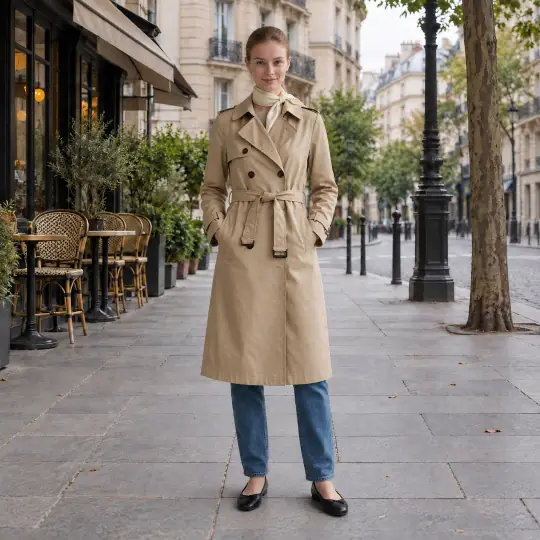
The photo as made, square
4:5
Made in the Torbilo app from an unbranded demonstration product photo; the model is AI-generated. Every tile is the same height: each shape is a crop of the square photo, never an enlargement. In the app you preview the exact crop of your own photo before you download.
Listing text
AJIO title and description limits
Torbilo's Write listing writes the text for every site in My marketplaces at once, inside each site's limits. It costs 2 credits for every 6 sites.
| Field | AJIO |
|---|---|
| Title | Up to 80 characters (aim for about 60) |
| Bullet points | No bullet points |
| Description | Up to 2000 characters |
| Search words | None |
The site doesn't publish its rules openly, so these are the values sellers and listing tools report. About Write listing
Questions
AJIO photos
What size should AJIO product photos be?
Torbilo saves AJIO photos at 1600 × 2000 px, shape 4:5, as a JPEG under 1 MB. Rules change, so check AJIO's own seller help before a big upload.
Does AJIO need a white background?
Torbilo's list has no fixed background colour for AJIO; its rules ask for a plain, uncluttered background, and some also prefer a light one. See the rules above, and check AJIO's seller help for your category.
Can the main photo be a ghost mannequin on AJIO?
No: its rules don't accept a ghost mannequin as the main photo. Lead with a photo of the product on a model, and use ghost mannequin photos for the later images.
Can I use AI-made photos on AJIO?
AJIO's rules about AI-made images can change and Torbilo can't speak for them, so read its current policy before you list. Every Torbilo download carries an AI-image tag inside the file, and some sites, such as Google Shopping, ask for it.
How do I get AJIO photos from Torbilo?
In Settings, add AJIO to My marketplaces. When a shoot is done, open Save and look under For my marketplaces: you see a preview of what AJIO gets, then download up to 24 photos at a time. Downloads are free.
Keep going
More from Torbilo
Other marketplaces
Photos for AJIO, from one product photo
25 free credits, enough for five photos. No card needed.
Start free