What is free
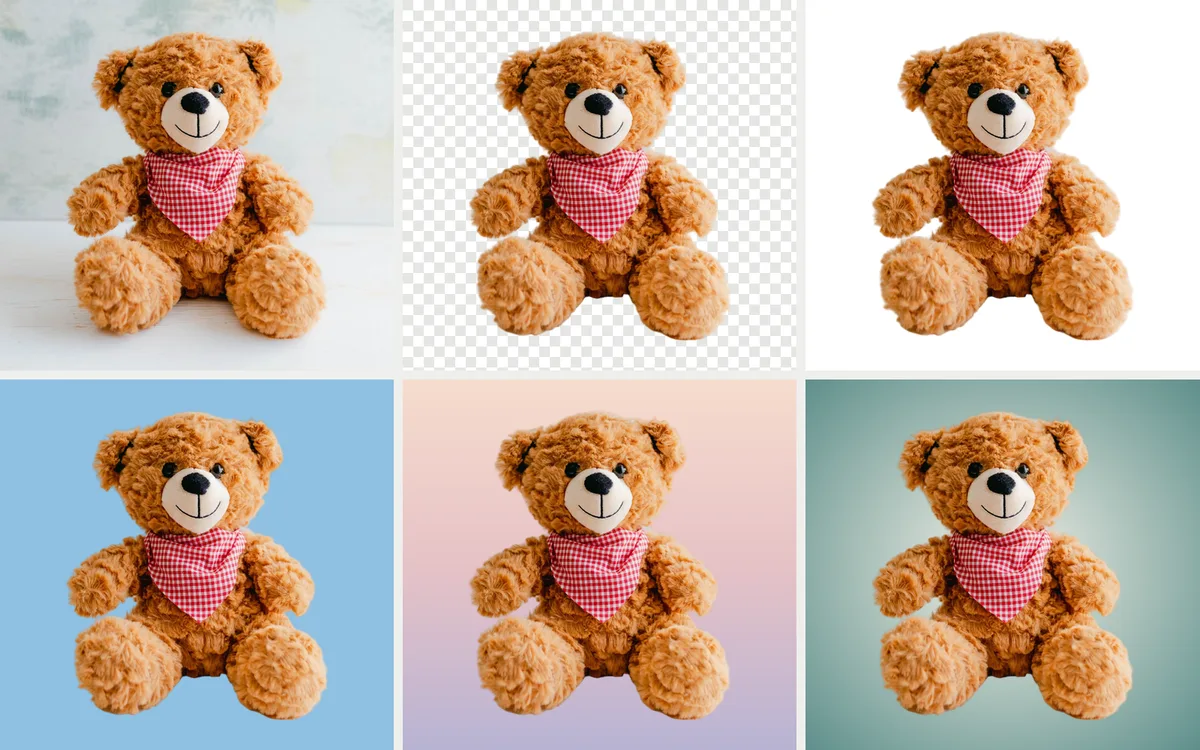
Change background takes the background away from your product photos. Add up to 12 at a time. Nothing is redrawn: it is your own photo, cut out, so the product looks exactly as it does in your photo.
Saving is free too. Save each photo on any background, as often as you like. All you need is a free Torbilo account.
Any background you like
- See-through. A transparent PNG you can put on anything.
- White or light grey. For marketplace main photos.
- Any colour. Pick one of 18 colours, or your own with the colour picker or the dropper, or type a code like #1f4d3a. Torbilo names your colour for you, for example Caramel.
- A gradient. Choose a ready-made one (Studio, Soft grey, Blush, Sage mist, Sky, Sand, Lavender, Dusk, Charcoal or Midnight), or make your own with 2 to 5 colours, straight at any angle or round.
Keep the photo's own shape, or make it square 1:1 for marketplaces that ask for it. Save one photo, or Save all in one go.
How to use it
- Sign in to the Torbilo app and open Create.
- Choose Change background.
- Add your product photos, choose the background and the shape, and save.
A free allowance per day applies to free tools, so very large batches may wait until the next day.
The same colours behind a model
The same colour and gradient picker is in Create too, for a plain colour or gradient scene behind a model. That scene is part of a photo on a model, which is paid with credits like any photo. Every new account gets 25 free credits to start. See pricing and white background product photos.