White background
White background product photos, free for your own photo
White background product photos are what marketplaces like Amazon ask for. In the Torbilo app (free account, no credits needed), Change background is free: your own product photo is cut out and saved as transparent, white, light grey or any colour, square or as it is. Nothing is redrawn. New accounts get 25 free credits, enough for five photos on a model.
Real results
White backgrounds, on a model or on its own
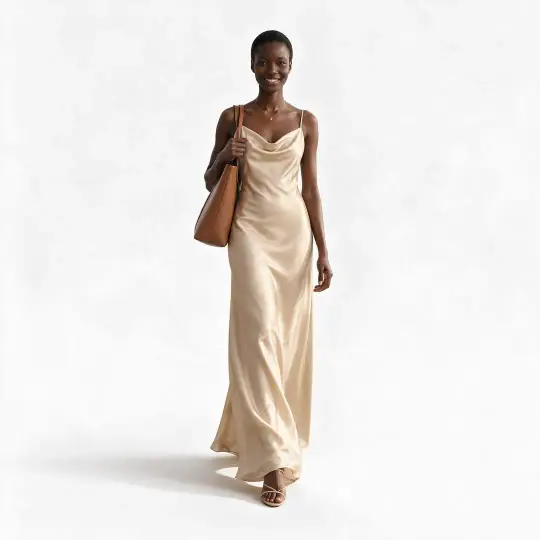
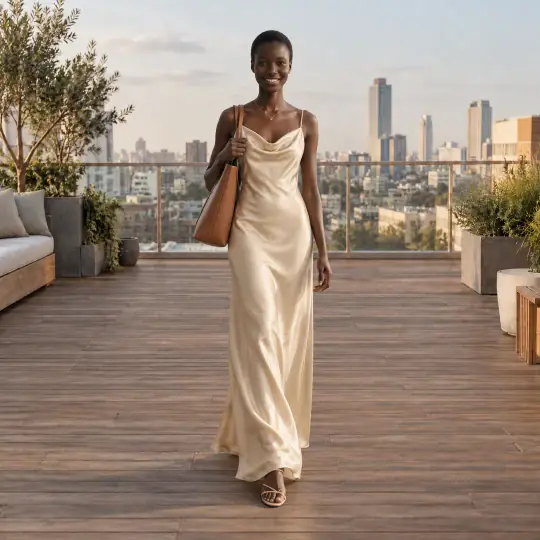
A finished photo, made white
Before · Scene photo
After · White version, same model and pose
The white version of a finished model photo costs 5 credits. It keeps the model and the pose.
Straight onto white, with no model
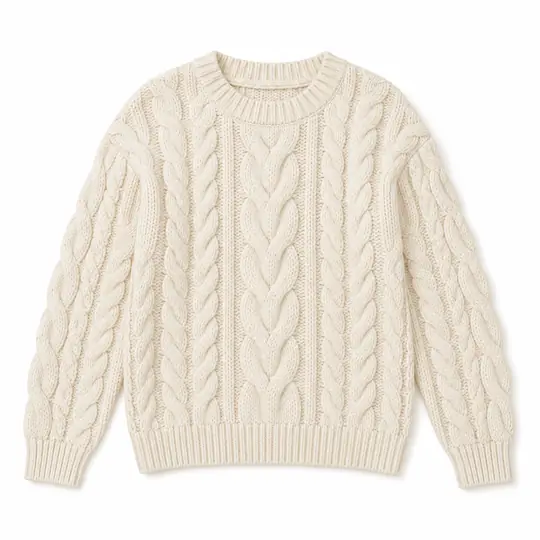
Before · Product photo
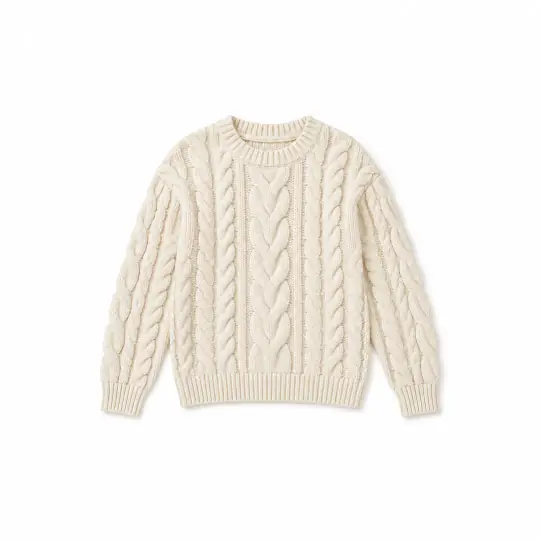
After · Clean flat-lay
A ghost mannequin photo or a clean flat-lay is made on white too. See the other ways to get white below.
The pictures above show the other ways to get white. Every model picture is AI-generated with Torbilo.
How it works
How do I get a white background on my product photo?
- Add your photosIn Create, choose Change background (white, or transparent for a see-through PNG). Add up to 12 product photos at once, or send a finished photo from a shoot.
- Choose the backgroundTransparent, white, light grey, any colour you pick or a gradient, and the shape: as it is, or square 1:1 for a marketplace.
- SaveSave each photo or all of them. Your own photo is cut out; nothing about the product is redrawn.
What it costs
Is a white background free?
Free for your own product photo
- Change background is free in the Torbilo app with a free account. Saving on any background is free, a colour or a gradient included (read the news).
- A white version of a finished photo on a model is 5 credits.
- A photo on a model in the White Studio scene is 5 credits, like any scene.
- A free allowance per day applies to free tools, so very large batches may wait until the next day.
Introductory prices today. Credits never expire while your account is open, whether they come from a pack, a top-up or a monthly plan. See packs and plans.
Good to know
Before you start
- Change background cuts out your own photo. It does not add a model or change the product.
- Check the edges against your product, especially fine straps, chains and sheer fabric.
- Each marketplace has its own image rules. Check the main-image rules before you list.
- Every download carries an AI-generated tag in the file where the photo was made by AI.
Questions
White background product photos: questions
How do I get a white background for my product photo?
Sign up free for the Torbilo app, open Create, choose Change background, add your photo and save it on white. It is free and nothing is redrawn.
Is it good for an Amazon main image?
Many marketplaces, Amazon included, ask for a plain white background on the main image. Torbilo saves your photo on white, square or as it is. Check the site's current image rules before you list.
Can I get a transparent background?
Yes. Change background saves a see-through PNG you can use anywhere. You can also save on light grey or any colour.
How many photos can I do at once?
Up to 12 product photos at a time.
Can I get a white background with a model in it?
Yes. Make a photo in the White Studio scene, or make a white version of a photo you already made. A ghost mannequin photo or a clean flat-lay is on white as well.
Keep going
One account, every kind of photo
Every feature works on the same products and the same credits.