Tutorial · 3 min read

Put several models in one product photo

Put several models in one product photo to show a whole collection at once: line up to six models in one photo, each wearing your products, or make a separate shoot for each person.

Where
Home, On a model
Cost
5 credits per person, per photo
Line-up
Up to 6 people
Models
Adults
1

Build the line-up

In an On a model shoot, add more than one model on the model step. The same model can appear more than once. Choose Together for one photo with everyone, or Separately for one shoot per person.
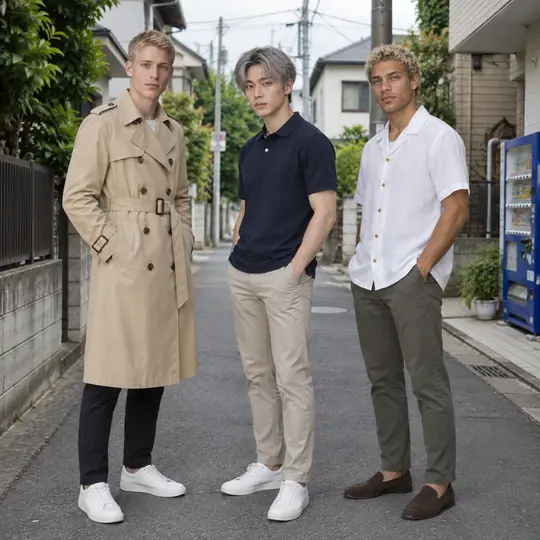
Made in Torbilo: Mikkel in a trench coat, Ji-ho in a polo and Thiago in a linen shirt, together on a Tokyo side street
A group photo made in Torbilo from three product photos, with Mikkel, Ji-ho and Thiago in the Tokyo Side Street scene.
2

Who wears what

With several products, Torbilo suggests who wears what; change it on the Outfits step. Each person can wear up to three items.

3

Pick group poses

Choose group poses, describe your own in words, or keep each person's own pose. Every photo is checked; a miss is made again for free once, then refunded.

Cost

5 credits per person in each photo.