Giving Tuesday Tree Planting Portrait
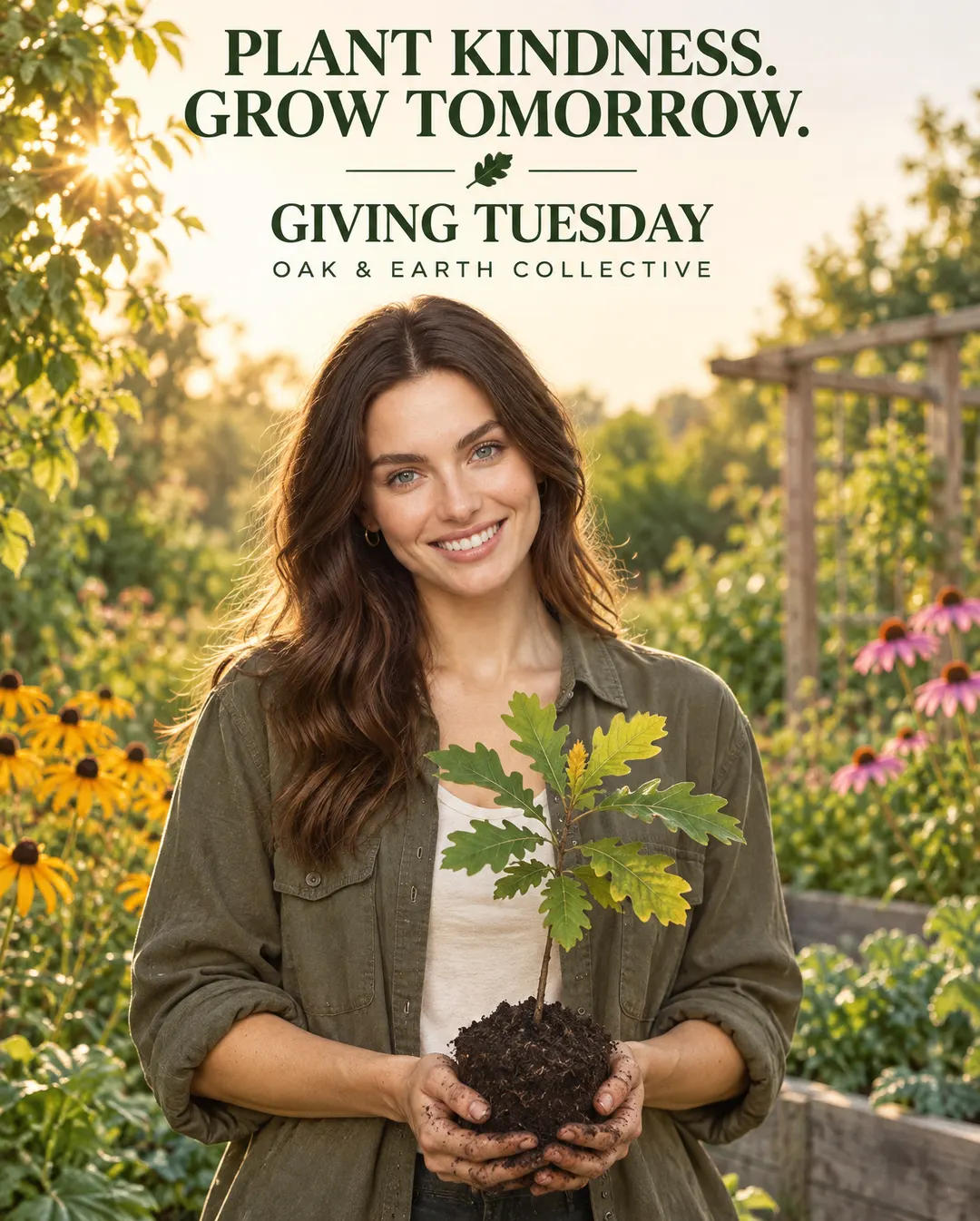
Share your Giving Tuesday message with a joyful garden portrait, holding a young oak in your hands. #givingtuesday #portrait
Make it yours
These words appear in your photo.
The look
Filled in to match the example. Change any of them, or keep them.
Free for everyone, no card needed. New here? 25 free credits when you sign up.
About this template
Make a Giving Tuesday portrait post with a person holding a young oak in a garden, alongside a tree-planting message. It suits gardening supplies and nature-focused products, or a campaign for an organisation; post it on Instagram, in a shop listing, on a marketplace or in WhatsApp.
Works best for
- Gardening supplies
- Nature-focused products
- Tree-planting campaigns
- Giving Tuesday appeals
The look
The portrait has warm garden light, leafy greens and earthy brown tones for a joyful, hopeful feel. Bold uppercase forest-green serif lettering sits above the portrait.
How to make it
- Add your photosThe pictures the template asks for, like a clear photo of your product on a hanger, laid flat or worn. A phone photo is fine.
- Change the words if you likeThe look comes filled in to match the example. Keep it, or change the colours, words and details.
- Get your finished photoIt is ready in a minute or two. Download it for your shop, marketplace or social pages.
Questions sellers ask
- What products work well with this template?
- It suits gardening supplies and nature-focused products, as well as Giving Tuesday or tree-planting campaigns. The design centres on a garden portrait and an oak sapling.
- What photo should I add?
- Add your portrait. A clear phone photo is fine.
- What can I change?
- You can edit the headline, campaign line, organisation name, outfit and lettering style, or keep the filled-in choices. Your product is kept as it is.
- Where can I use the finished photo?
- Download it for an Instagram post, shop listing, marketplace or WhatsApp. It is a portrait-shaped 4:5 image.
Updated 12 Nov 2026