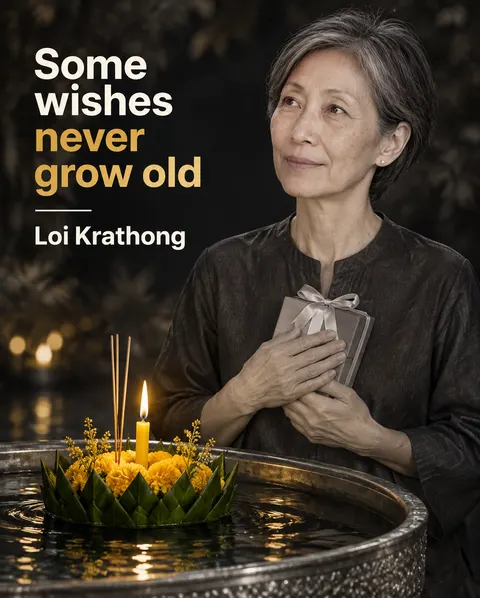
Giving Tuesday Inclusive Community Poster
Bring your community together with a warm portrait, bold message and your organisation's name. #givingtuesday #poster
Make it yours
These words appear in your photo.
The look
Filled in to match the example. Change any of them, or keep them.
Free for everyone, no card needed. New here? 25 free credits when you sign up.
About this template
Make a portrait-format Giving Tuesday community poster with a warm group photo and a clear message about belonging. It suits clothing and accessory sellers sharing a community campaign on an Instagram post or story, WhatsApp, a shop listing or a marketplace.
Works best for
- Knitwear and scarves
- Community campaigns
- Giving Tuesday posts
- Inclusive brand messages
The look
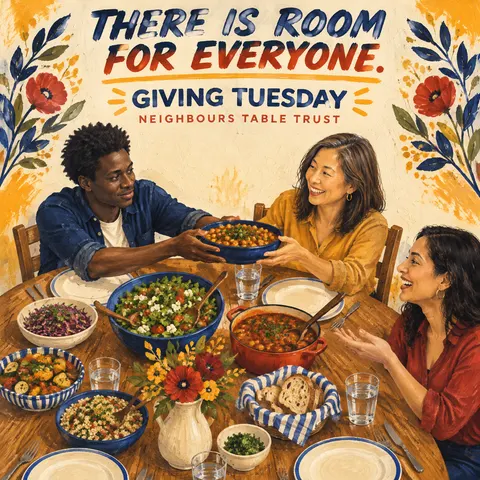
The sample shows three people together in a bright indoor setting, with soft natural light and teal, yellow and warm neutral colours. Bold uppercase lettering frames the portrait with a friendly, community-minded feel.
How to make it
- Add your photosThe pictures the template asks for, like a clear photo of your product on a hanger, laid flat or worn. A phone photo is fine.
- Change the words if you likeThe look comes filled in to match the example. Keep it, or change the colours, words and details.
- Get your finished photoIt is ready in a minute or two. Download it for your shop, marketplace or social pages.
Questions sellers ask
- What products work well with this poster?
- It is a good fit for clothing and accessories, especially knitwear, scarves and jewellery. The design focuses on a community message rather than a close-up product display.
- What photos do I add?
- Add a clear photo of one person, with optional photos of two more people. A clear phone photo is fine.
- What can I change?
- You can edit the headline, campaign line, message, organisation name, outfit and lettering style, or keep the sample settings. Your product is kept as it is.
- Where can I use the finished poster?
- Download it for a shop listing, marketplace, Instagram post or story, or WhatsApp. The portrait 4:5 shape works well for social posts.
Updated 12 Nov 2026